

Getting Started
Quick start guide to making your first API request with Vainu API
Getting Started with Vainu API
Your First Request
Let's get some company data from Organizations API.
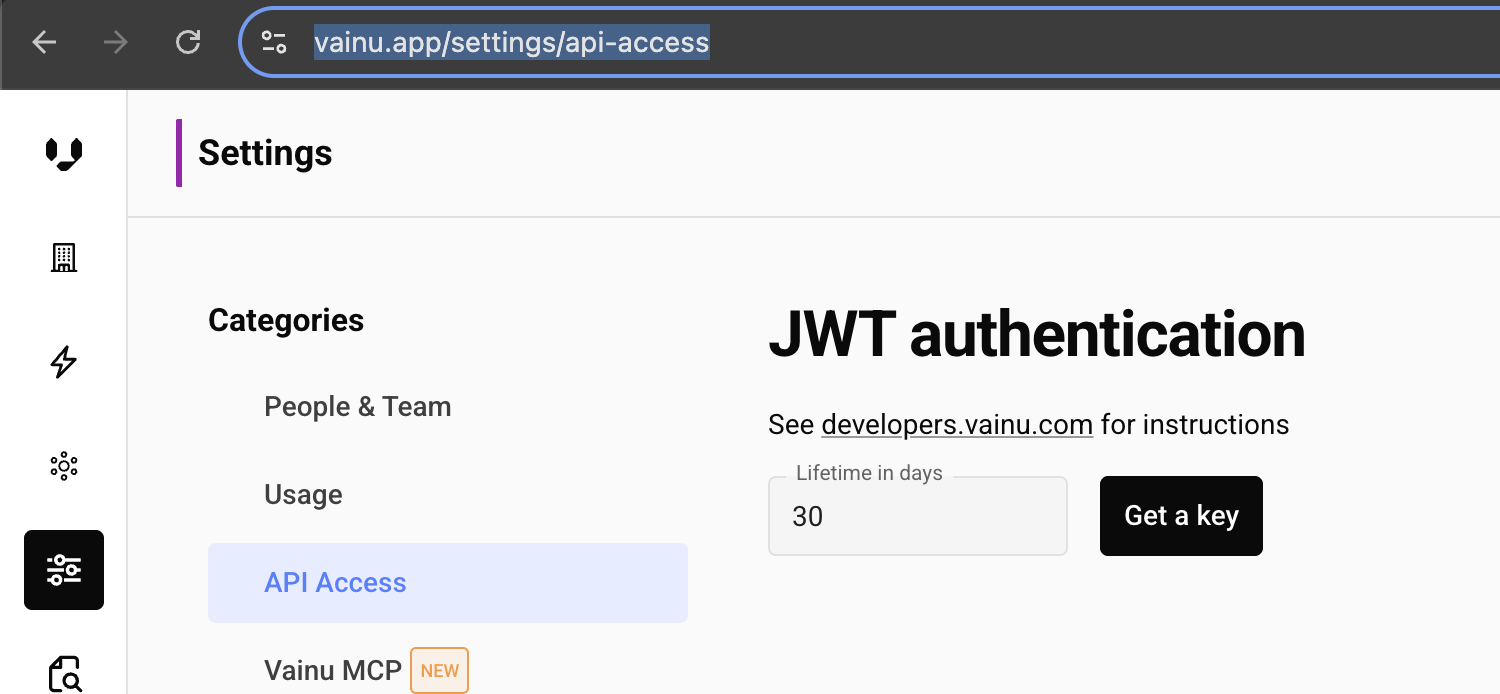
First you need to Refresh Token that you can get by logging in to Vainu UI: https://vainu.app/settings/api-access
Basic Request Structure
All API requests follow a consistent structure with the following main components:
"""Simple Example: Get data of single business id using organizations API"""
import requests
import os
organizations_endpoint_point = "https://api.vainu.io/api/v3/organizations/"
get_access_token_url = "https://api.vainu.io/api/token_authentication/refresh/"
# The classic JWT. Use refresh token to get short lived access token that is used to authenticate to the APIs. Set your refresh token to env or replace here:
refresh_token = os.environ.get("VAINU_REFRESH_TOKEN", "your-refresh-token")
# Get access token using refresh token:
access_token = requests.post(get_access_token_url, {"refresh": refresh_token}).json()["access"]


payload = {
    # Which companies?
    "query": {"?EQ": {"business_id": "FI05381340"}},
    # What data points are returned?
    "fields": [  # Add any fields from the data catalogue
        "business_id",
        "name",
        "legal_entity",
    ],
    # What country?
    "database": "FI",
    # How many results?
    "limit": 1,
}

response = requests.post(
    organizations_endpoint_point,
    headers={"Authorization": f"Bearer {access_token}"},
    json=payload,
)
print(response.json())
# Example response:
"""
[{'name': 'Kiitosimeon Oy', 'business_id': 'FI05381340', 'legal_entity': 'Osakeyhtiö'}]
"""
Key Request Parameters
query
The filtering query using Vainu's Query Language. Learn more in the Filtering Query Language section.
{
  "query": {
    "?EQ": {
      "official_industries.code": ["62"]
    }
  }
}
database
The country database to query. Supported values:
FI- FinlandSE- SwedenNO- NorwayDK- DenmarkNL- Netherlands
fields
Full data reference with hundreds of data points can be found in https://vainu.app/data-catalogue/
Some examples of basic fields:
business_id- Company identifiername- Company namedomain- Website domainofficial_industries- Official industry classificationbusiness_units- Company Business locationscontacts- Contactsfinancial_data- Latest financial data like revenue amount of employeesfinancial_statements- Companys yearly Financial Statements
Limit , offset and pagination
Number of results to skip before returning results (for pagination). We recommend using async instead of pagination for getting a lot of data.
# Get results 100-200
payload = {
    "query": {...},
    "database": "FI",
    "limit": 100,
    "offset": 100
order
Sort order for results. Use - prefix for descending order:
{
  "order": "-vainu_score"  // Sort with Vainus proprietary scoring. Best score first.
}
Response Structure
The API returns a list of json objects:
[
    {
      "business_id": "FI12345678",
      "name": "Example Company Oy",
      "domain": "example.com",
      "official_industries": [{'code': }, ...],
      "contacts": [{'email': }, ...]
    },
}
Error Handling
The API returns standard HTTP status codes:
200 OK- Request successful400 Bad Request- Invalid query or parameters401 Unauthorized- Invalid or missing authentication token403 Forbidden- Access denied500 Server Error- Internal server error
Next Steps
- Set up authentication with JWT or Client Credentials
- Learn how to filter companies using advanced queries
- Explore response format options
- For large queries, consider asynchronous requests
Updated 4 months ago