

Search Organizations API
Fuzzy free-text company search by name, business ID, or domain
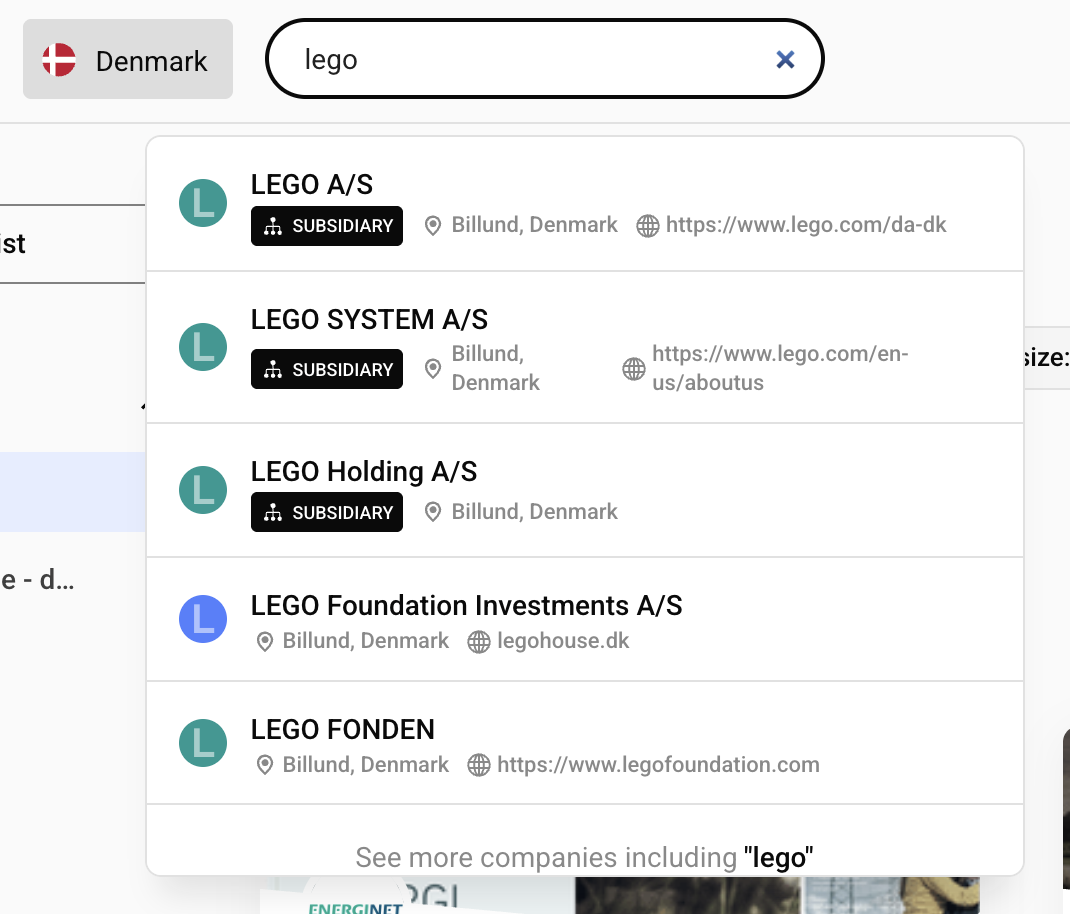
Use the Organizations Search API for free-text company lookup. Send one search string (company name, business ID, or domain) and get the best matching companies ordered by relevance.
This is the same endpoint used by the navigation bar in the Vainu web application.
Endpoint
POST https://api.vainu.io/api/v3/organizations/search/Example Payload
{
        "search": "volvo",
        "database": "SE",
        "fields": [
            "business_id",
            "name",
            "website",
        ],
        "limit": 5,
    }
Request Body
| Field | Type | Default | Notes |
|---|---|---|---|
search | string | required | Company name, business ID, or domain. Empty string returns empty array. |
database | string | "FI" | Country codes (FI, SE, NO, DK, NL). Multiple values are allowed only with search. |
fields | list of strings | [] | Fields to return. See Data Reference. |
limit | integer | 20 | Max number of rows returned. |
skip | integer | 0 | Pagination offset. |
is_active | boolean | true | Set to false to search inactive/dissolved companies. |
Notes
querycannot be used together withsearch.- If your token lacks permissions for one of the selected databases, the request fails.
- For structured filtering, use
POST /api/v3/organizations/with a Query Languagequeryobject.
Fields
fields controls which keys are returned in each result row. Any API v3 field from Data Reference is allowed, for example:
Some fields require extra entitlements. If a restricted field is requested without permission, the API returns 403.
{
  "detail": "Insufficient permissions for fields: vehicles",
  "error_code": "FORBIDDEN",
  "status_code": 403
}
Quick Start
Example response:
[
  {
    "business_id": "SE5560125790",
    "name": "Aktiebolaget Volvo",
    "website": "https://www.volvogroup.com/se/"
  },
  {
    "business_id": "SE5560743089",
    "name": "Volvo Personvagnar Aktiebolag",
    "website": "volvocars.com/se"
  },
  {
    "business_id": "SE5568108988",
    "name": "Volvo Car AB",
    "website": "volvocars.com"
  }
]
Authentication
Check Authentication Overview
How Ranking Works
Search ranking uses Full-Text Search Index and combines several matching strategies:
- Full normalized name matches (high boost)
- Alternative name (
auxiliary_names) matches - Autocomplete matches on company names and domains
- Token-level text matches for partial input
- Exact domain matches when the query looks like a domain
- Exact business ID matches when the query parses as a valid business ID.
Practical Implications
- Business ID and clear domain searches usually return exact match as first result.
- Fuzzy matching is built in, so partial terms like
volvcan still matchVolvocompanies.
Response Format
The endpoint returns a JSON array and returns the objects with requests fields.
[
  {
    "business_id": "SE5560125790",
    "name": "Aktiebolaget Volvo"
  }
]- Each item includes only fields requested in
fields. - Use
skip+limitfor pagination. - Empty searches return
[].
Common Errors
| Status | Error | Meaning |
|---|---|---|
| 400 | You cannot define both query and search parameters | Remove either query or search. |
| 400 | Only one database can be given as input | Multi-country input requires a non-empty search term. |
| 400 | No database permission { ... } | Token has no access to one or more selected databases. |
| 401 | Authentication error | Access token is missing or expired. |
| 403 | Insufficient permissions for fields: ... | Requested one or more restricted fields. |
Updated 3 months ago