

Data Reference
Find all the available fields from the Vainu Data Catalogue
Vainu Data Catalogue
You can find the latest and most detailed data catalogue by visiting the Vainu UI.
Open the Data CatalogueLogin to vainu platform and visit https://vainu.app/data-catalogue/ to explore all available data fields
How it looks:
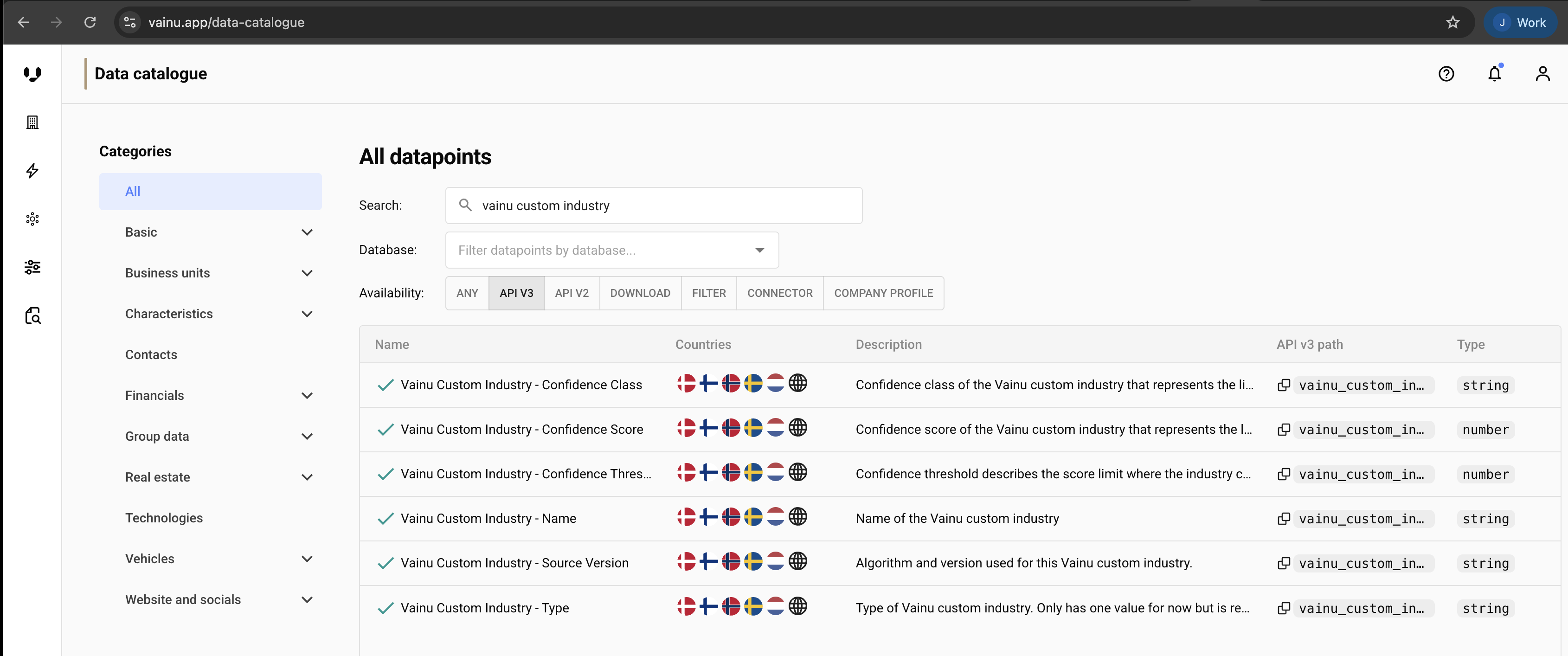
Available Main Categories:
The Data Catalogue provides comprehensive documentation for all fields you can query and retrieve, including:
| Name | Description |
|---|---|
| Basic | Registry based data fields that describe the legal entity, basic financial information and main location. |
| Business Units | Business units, locations or worksites that are either registered subentities of a company or different locations of business. |
| Technographics | Technologies the company uses or has been linked with. |
| Characteristics | Different models that describe and estimate the company actions, business lines and sizes. |
| Contacts | Decision makers and other business relevant personnel from the company. |
| Groups | Concern structures within the Nordic countries, concern specific basic financial figures and owners when available. |
| Financials | Full financial figures and calculated KPI's from a company. |
| Vehicles | All company owned and possessed registered vehicles with registry based information. |
| Website & Social Profiles | Additional website content like keywords, traffic data and basic information from social media profiles. |
| Real Estate | Company owned and possessed real estates |
How to Set Fields In API Requests
Use the 'api v3 path' from the Data Catalogue as your field names when configuring the fields parameter.
payload = {
    "fields": [
        "business_id",
        "name",
        "domain",
        "financial_data.revenue",
        "official_industries"
    ],
    "query": {...
    ...
}Not all fields are available in every country database. Check the Data Catalogue for country-specific field availability.
Updated 4 months ago